How to Use the File Management Feature – Complete Guide
Learn how to use the File Management feature to organize, delete, and manage photos, videos, and greeting cards on your Frame and app with easy folder tools.
Digital Calendar has a File Management feature that is meant to assist users in maintaining their media storage clean, systematic, and simple to handle. It is possible to get photos sent by relatives, save greeting cards and upload videos via the mobile app, which makes sure that all the information stays organized and available in a convenient and systematized manner.
The Calendar Frame version 3.6.0 and eCalendar App version 1.30.0 are capable of File Management allowing the user to have complete control over the media in their devices. Here you will get to know how the feature works, how you can organize your files, and how you can keep your experience clutter-free both in the Frame and in the mobile app.
Amazon Affiliate Disclaimer
https://digicalendars.com participates in the Amazon Services LLC Associates Program, an affiliate advertising program designed to provide a means for websites to earn fees by linking to Amazon.com and other affiliated sites. As an Amazon Associate, we earn from qualifying purchases made through the links on our website. This does not affect the price you pay your support simply helps us maintain the site and continue offering honest, valuable reviews and recommendations.
Best Digital Picture Frames
Module Introduction
The File Management feature serves as a strong organizer of all the content that you have saved. The devices receive hundreds of photos, greeting cards, and short videos, particularly within family setups, over time. Storage can very easily get saturated, and the machine can begin to slow down without appropriate regulation. The File Management system ensures that this is not an issue. It enables you to see and delete media stored, organize albums on folders, and have your library organized in a manner that would satisfy your requirements. The interface is easy and friendly to any user regardless of their age so that file handling becomes fast and tension free.
This feature has another valuable feature and this is its folder-based organization that is offered on the mobile app. The eCalendar application has folders to better categorize the photos as opposed to the previous system where photos were stored in one long list. During the process of uploading, users are allowed to create new folders, rename them and even sort photos. That way it becomes much easier to find old memories. The Calendar Frame is compatible with the system and makes uploaded or deleted files keep in sync with their respective accounts. Concisely, File Management assists in ensuring speed, order and convenience.
Best Digital Calendars
How to Use File Management on the Calendar Frame
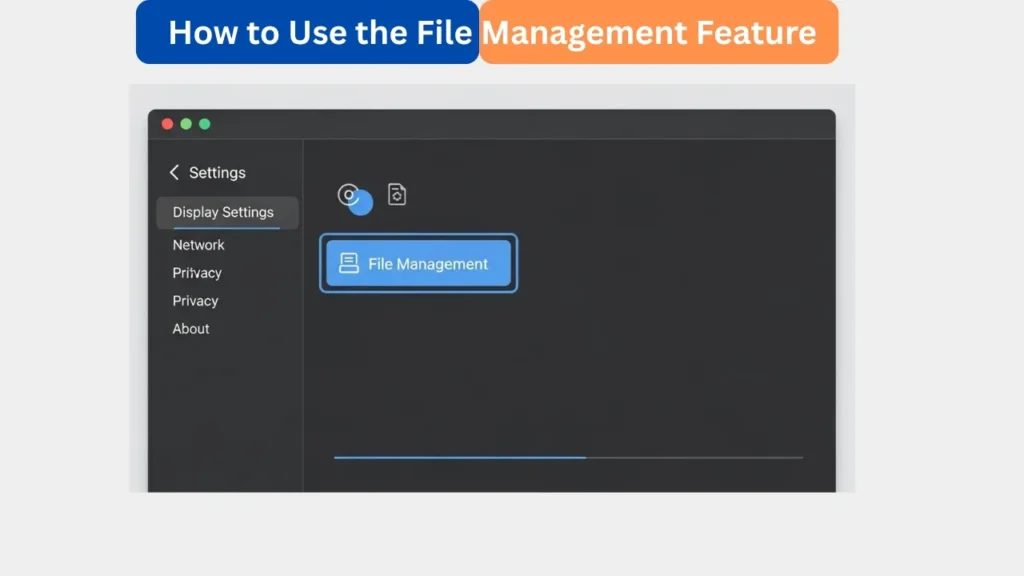
Open the File Management Option in Settings
The first step to access the feature would be to activate the Settings menu in your Calendar Frame. In this case there is an option named File Management. Clicking on it will bring you to a window with all the media in your device. This contains sent and uploaded photos, greeting cards and videos. The design is simple and clear enough to see it all. This single location simplifies the process of controlling your memory as compared to browsing through several pages.
View and Delete Photos, Videos, and Greeting Cards
After entering File Management, one can view all the media files on the Frame. In time, this list can be quite long as you get pictures in the app or wishes of your relatives. The system will provide you with an option of deleting any file that you no longer require. Eradicating the old or redundant media will aid in freeing the memory and ensure a smooth running of the Frame. This is particularly critical when the users are long-term users since full storage may reduce the performance. One or two taps and you have a clean and well-organized library.
Digital Calendars
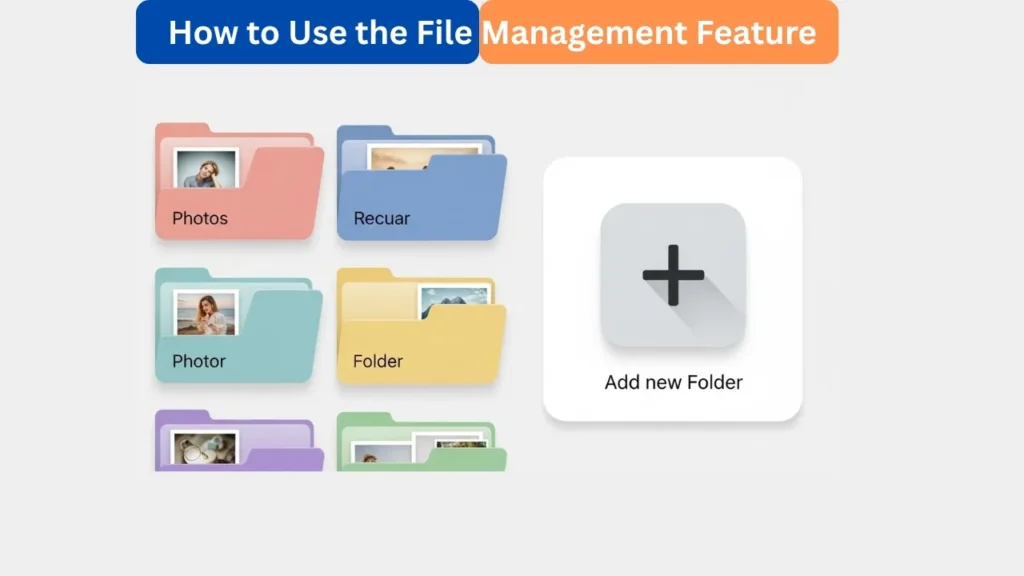
Manage Albums Using Folder-Style Organization
The eCalendar application has changed its album system to the folder format. This implies that your media no longer appears in a single big gallery but rather it is organized into folders that you create. In order to create a new folder, tap plus (+) and name. Once the name is typed, press Finish in order to save it. This will enable you to make separate folders like Family Photos, Vacations, Kids, Work or Special Events. Such a straightforward folder system allows you to arrange your photos in the manner you desire.
It is also more flexible in uploading photos to the app. You can also choose the folder to put the pictures in when you are sending them to the Frame. This assists in keeping things organized as soon as you upload them, rather than organizing them afterwards. In case you regularly upload pictures to your Frame, folders will save you a lot of time and make them not confuse. It is also possible to rename folders whenever necessary and this gives you the liberty to rearrange your albums on a regular basis.
How to Use Digital Calendar’s Features – Complete Guide
How to Use Digital Calendar’s Features 2 – Complete Guide
Benefits of the File Management Feature
The File Management feature has a number of significant benefits. To start with, it assists in enhancing the performance of the devices by ensuring that the library is not overloaded with irrelevant files. Clean storage environment will make sure that your Frame is running well and it is fast in responding. Second, the app organizes photos by folders and thus you waste less time searching. There is never a time you will not know where your files are stored. Third, the capability of deleting ancient greeting cards and video makes sure that your memory is free of the new information. The feature establishes an effective and well-balanced system to be used in the long term.
The other advantage is that the feature is easy to comprehend. The untechnical users can handle their files without any problem due to the clear layout and direct choices. It is no longer a complex undertaking, but a simple routine of cleaning your device. The Frame management tools with the structure of the folder in the app offer you complete control over your media environment. This is what makes File Management a very important tool to families where memories are shared frequently.
FAQs
Conclusion
The File Management option provides its users with an effective and easy means of storing photos, videos and greeting cards. The app has folder organization and the Frame has simple deletion capabilities, so your media is always neat, well arranged, and without the hassle. You may get memories every day or you will get them occasionally, but this tool will help to keep all in order. The frequency of use will provide a hassle-free performance and an enjoyable experience of the whole family.