How to use Rewards Feature -Full Guide
Learn how to use the Rewards Feature step-by-step. This full guide explains setup, assigning rewards, tracking progress, and motivating family members easily.
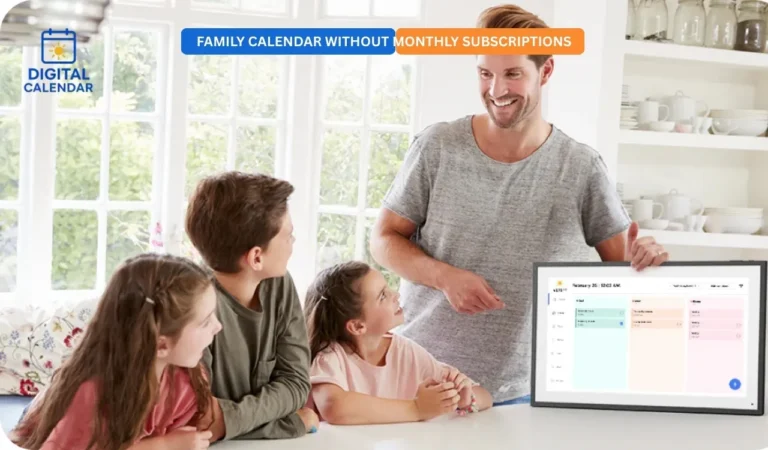
The Rewards feature on digital calendar can assist families to encourage and motivate children to perform good habits by using a simple star-based system. Every reward is customizable with various star values, and daily achievements may be made more engaging and rewarding. Tasks enable members to gain stars which can be used to acquire items or experiences. This system maintains high level of motivation and enhances cooperation in the family. When it is clear and automatically tracked, rewards become easy to manage to all.

Best Digital Picture Frames
Personalized Reward Store
You are free to make your own rules of rewards depending on the needs of your family. Minor rewards may be established with low value stars and bigger activities may demand higher value stars. Long-term objectives such as Save 50 stars to game time are presented in form of a progress bar. This assists children in monitoring their progress graphically. It maintains the level of motivation and promotes the achievement of goals.
Amazon Affiliate Disclaimer
https://digicalendars.com participates in the Amazon Services LLC Associates Program, an affiliate advertising program designed to provide a means for websites to earn fees by linking to Amazon.com and other affiliated sites. As an Amazon Associate, we earn from qualifying purchases made through the links on our website. This does not affect the price you pay your support simply helps us maintain the site and continue offering honest, valuable reviews and recommendations.
Transparent Point System
Each of the family members possesses a separate reward account. They have an actual number of stars and redemption activity that is updated in real time. This renders the system impartial and comprehensible to all. The members can always know their proximity to a reward. Openness enhances accountability and credibility.
Reward List Members
It is important to add family members before using the Rewards system. Every reward has to be attached to a member or a number of members to be tracked appropriately. The addition of members makes sure that the counts of stars are saved separately. This enables individualized rewarding of an individual. It also assists in tracking the progress of all people.
Digital Calendars
Member Rewards
In this section, the totals of stars of each member are shown. It is also possible to see what rewards they have already redeemed. It provides an all-inclusive picture of their developments and successes. This assists parents or guardians to know the performance patterns. It is also encouraging the members to keep on earning stars.

Recurring Reward Rules
In the case of recurring rewards, the reward will repeat after every redemption. This implies that the reward can be used repeatedly. The reward that is finished is transferred to the history list and a new copy is generated automatically. In case the reward is not a recurring one, it will not be present after a single successful redemption. This allows flexibility based on the type of reward.
Best Digital Calendars
Add a Reward
In order to develop a new reward, begin by adding the reward title and description. You are able to add an emoji by using the library to customize it, or keep it clear to have the default star. Then add the number of stars the members have to gather to cash in on the reward. You are also able to decide the reward updating after redemption. In case enabled, the reward will be repeatable and it will automatically reoccur after every use.
Redeem a Reward
When the number of stars in a member has reached or surpassed the necessary amount, then a member can redeem a reward. The system automatically verifies whether they have sufficient stars. After redemption, the amount of the star is subtracted in their account. In case reward is recurring, then a new copy will be shown instantly. Otherwise, it will be transferred to the already finished list and will not be able to be used again.
How to Use Digital Calendar’s Features – Complete Guide
How to Use Digital Calendar’s Features 2 – Complete Guide
Benefits of the Rewards Feature
Rewards feature assists in the development of healthy habits and positive behavior. Children are also motivated since they can observe that they are making progress. Rewards can be customized to suit values and objectives of the parents. The transparent point system makes everything just and simple to follow. It turns work and duties into fun.
FAQs – how to use the Rewards Feature
Conclusion
The Rewards feature builds an entertaining and encouraging method of developing positive habits by families. The members gain stars by working hard and redeem them to get something significant. Having an open point system and being able to set your own goals, everyone is engaged. The process is easy and pleasant whether recurring or one time rewards are used. Begin the Rewards option in order to motivate regularity and promote success.